
Description
This is a little plugin which adds a featured image column to WordPress. It automatically adds a column to any post type which supports a featured image. The code is pulled almost directly from my plugin Display Featured Image for Genesis.
Banner/icon image credit: Lauren Mancke on Minimography.
Screenshots
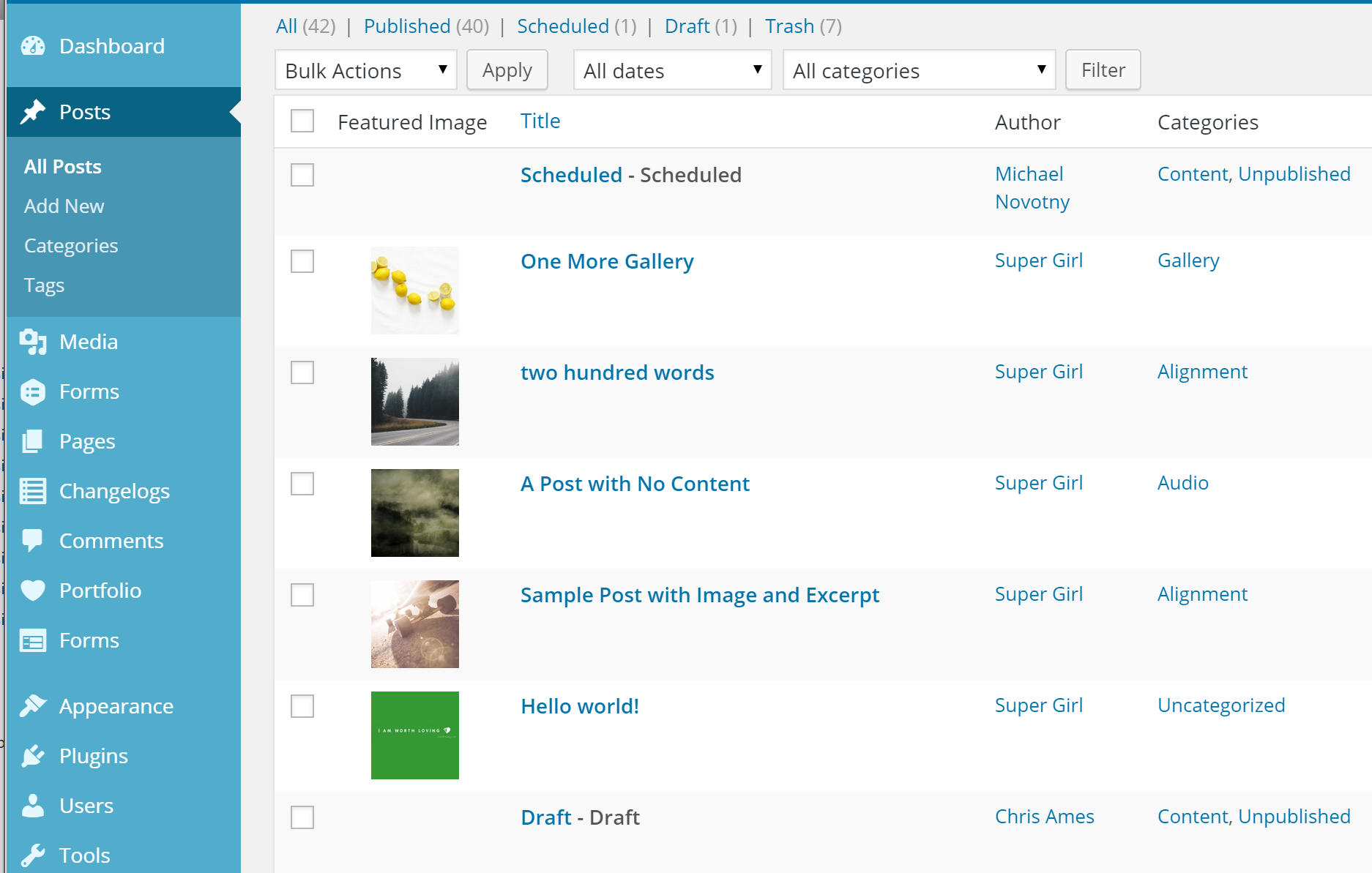
Screenshot of posts with featured images.
Installation
- Upload the entire
add-featured-image-columnfolder to your/wp-content/pluginsdirectory. - Activate the plugin through the ‘Plugins’ menu in WordPress.
- Optionally, visit the Settings > Media page to change the default behavior of the plugin.
FAQ
No questions. Just activate and enjoy.
Reviews

Oktubre 18, 2022
Have been using this plugin for years on nearly every site I've produced for clients. Simple and works perfectly!

Hulyo 5, 2021
Have just installed it and started using it. Works perfectly. Does what it says. I find it very useful. Thank you.
(One small negative: it does not work for custom post types if you also use the Admin Column plugin.)

Enero 17, 2021
It's a simple plugin, which does what it says and solved the need I had.
However, as it is not configurable it is limited. For example, there are plugins that add a thumbnail to their CPTs and putting this one in comes out both thumbnails.
For this and other reasons I have created a plugin based on this one that allows you to choose in which CPT the image is shown, besides customizing, shape, size and other improvements.
It is Manage admin columns

Setyembre 20, 2020
Thanks for developing this plugin.

Agosto 5, 2019
O melhor plugin do gênero. Baixe, ative e as featured images aparecerão como mágica. Parabéns ao desenvolvedor!

Abril 12, 2018
If your blog's space allotment is limited, this could be a space-saving tool for you! With the plugin, you don't have to store images on your server, but rather utilize outside photo's links to set as your featured photo for blogs.
For example, if you like to host with Flickr, simply copy the url of the image there and paste it on your WP blog via the plugin and you're all set!
Isn't that cool?! ^_^
Contributors & Developers
“Add Featured Image Column” is open source software. The following people have contributed to this plugin.
Contributors
“Add Featured Image Column” has been translated into 6 locales. Thank you to the translators for their contributions.
Translate “Add Featured Image Column” into your language.
Interested in development?
Browse the code, check out the SVN repository, or subscribe to the development log by RSS.
Changelog
1.1.6
- changed: featured image column no longer loads (duplicate) for WooCommerce products
1.1.5
- improved: output for posts with no featured image
1.1.4
- fixed: featured image column display on mobile
1.1.3
- Improved: any post type which supports featured images (including private post types) will display a featured image column
- Added: the args to get the list of post types has been added to the post types filter
- Changed: admin column heading is just “Image” instead of “Featured Image”
1.1.2
- Added: text_domain, language files
- Fixed (really): featured image column on mobile
1.1.1
- Fixed: featured image column on mobile
1.1.0
- Added: the featured image column is now sortable.
- Due to redundancy, this plugin now deactivates if Display Featured Image for Genesis is active.
1.0.1
- Added filter to exclude post types
1.0.0
- Initial release on WordPress.org
0.9.0
- Initial release on Github